
VaxiBook 2.0 is live
From the booking to the certificate, on one screen.
VaxiBook runs the clinical side of a UK community pharmacy: online booking, pre-consults, consultation notes, prescriptions, payments and certificates. Built for the pharmacist with a queue at the counter.
The real app, recorded on a demo pharmacy with fictional patients.
Set up every service you offer, each with its own price, length, pre-consult and colour.
- Flu vaccination10 min
- Travel vaccines20 min
- Blood pressure check15 min
- Ear wax removal30 min
- Pharmacy First15 min
- Weight management20 min
- Hepatitis B course15 min
- Chickenpox vaccine15 min
One Monday at Riverside Pharmacy.
Riverside is our demo branch. Follow its pharmacist through a normal day; each screen is the real app doing that job.
-
Open up and see the day
The Today page shows who is next, what each patient still owes and which pre-consults have failed or not come back. Turn on Hide names when the screen faces the counter.
-
Block out lunch and a training afternoon
Add breaks and holidays for one service or the whole branch. Online booking stops offering those times straight away.
-
Check the calendar
Every booking sits in its service colour, with an icon for where it came from: walk-in, phone, online, or the Facebook ad you ran last week. Open one to see what is paid, what is due and whether the pre-consult passed.
-
Write the consultation note
Allergies, current medication and conditions are recorded once and shown at the top of every later note and prescription for that patient.
-
Issue a prescription
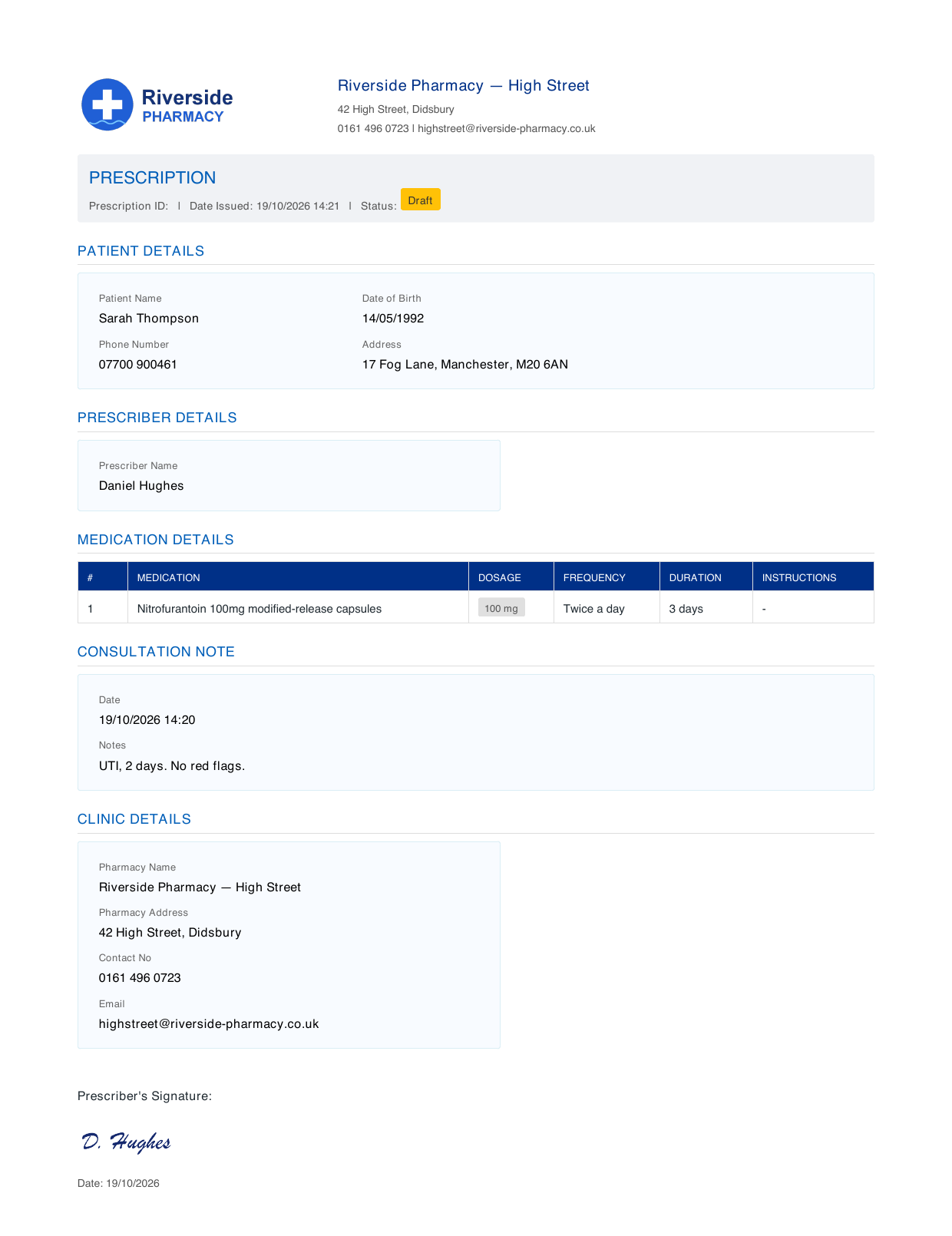
Pick medicines from the NHS BNF list or your own recent ones. Known allergies are shown before you save, and the signed PDF can be emailed straight to the patient's GP.
-
Record a vaccination
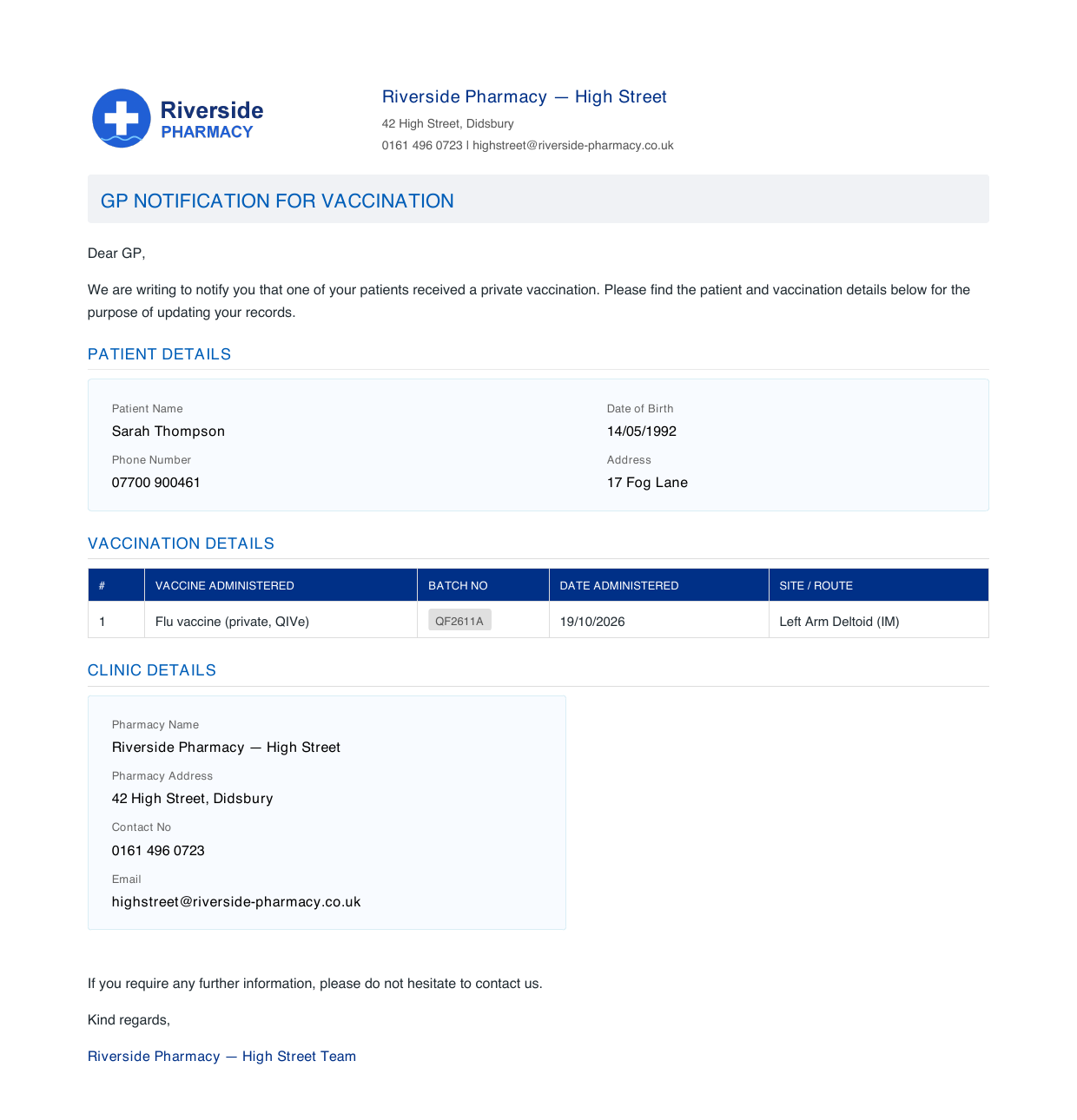
The certificate fills in from the booking: vaccine, batch number, date, site and route. Send it to the patient, and a notification letter to their GP, before they leave.
-
Look back at a patient
Bookings, notes, prescriptions, pre-consults, documents and payments in one history, with allergies, warnings and pinned notes always at the top. Linked family members are a click away.
What your patients see.
A booking page with your pharmacy's name, address and opening times on it. No app to download and no account to create.
Booking for someone else
Grace books a blood pressure check for her dad, Arthur. He doesn't have an email address, and doesn't need one. She gets the confirmation, with a link to change or cancel.
Pre-consults before they arrive
Make a pre-consult part of booking, or email it afterwards. Answers that rule a patient out show up on your Today page before the appointment, not during it.
Paperwork that's ready to hand over.
Certificates, GP letters, prescriptions and consultation notes come out as tidy PDFs with your pharmacy's logo and address. Prescriptions carry the prescriber's signature. Print them, email them to the patient, or send them to the patient's GP surgery.
- Vaccinations
- Vaccine, batch number, site and route filled in from the booking, for the patient and their GP.
- Prescriptions
- Drafts can be edited; finalised ones are locked.
- GP surgeries
- Keep your local surgeries on file and email them in one click.
The full tour, in four and a half minutes.
Nine everyday jobs, start to finish, with sound. Jump to the part you care about.
Already use VaxiBook?
Version 2.0 is already on your account. Your bookings, patients, services and settings are where you left them. There's nothing to do and nothing to change.
Log in to VaxiBookWhat's new in 2.0, in 46 seconds.
Questions pharmacists ask us.
Do patients need an email address to book?
The person booking gives an email for the confirmation. The patient doesn't need one, so a parent can book for a child, or a daughter for her dad, and you still get a separate patient record for each of them.
Can we run more than one branch?
Yes. Each branch has its own opening hours, services, staff and breaks. You switch between branches from the top of the menu, and the Today page always tells you which one you're looking at.
How do patients pay?
By card when they book, through your own Stripe account, or in the pharmacy on the day. Anything still to collect shows on the Today page, and refunds are made from the booking.
Can we see where our bookings come from?
Every booking records how it arrived: online, by phone, walk-in or from a campaign. You can share your own booking link on your website, Google profile and social posts, and add Google Ads conversion codes.
Do you keep track of vaccine stock?
The Today page shows how many of each vaccine are booked over the next seven days against what you have in, so you can order before you run out.
How do we get started?
Book a demo and we'll walk you through VaxiBook using the services you actually offer. Then we help you set up your branch, services, pre-consults and booking link.
See it with your own services.
A demo takes about half an hour. Tell us what you run and we'll show you how it works in VaxiBook.